
First steps
Regular WhatsApp, WhatsApp Business or official API: which to use to sell
What each one allows, how much it costs and when it is worth migrating.
A business can use WhatsApp in three ways: regular WhatsApp, the WhatsApp Business app and the official API, which Meta calls the WhatsApp Business Platform. The Business app is free and handles the operation of one or two people well. The official API is contracted through a provider, charges per message and is the only one that allows serving with the whole team on the same number, using an AI agent and sending campaigns with templates approved by Meta.
Almost every business starts in the same place: the owner's personal number, which becomes the company number because the first customers arrived through it. Then comes the Business app, with a catalog and automatic replies. The question arises when the second salesperson joins, or when leads start arriving at night and nobody replies. That is when the choice between app and API stops being technical and becomes commercial.
What is the difference between the three types of WhatsApp?
| Regular WhatsApp | WhatsApp Business (app) | Official API | |
|---|---|---|---|
| Who it was made for | Personal use | Small business | Company with a team and volume |
| Cost per message | None | None | Charged by Meta, by category |
| Where you use it | Phone | Phone and linked devices | A certified provider's platform |
| Business profile and catalog | No | Yes | Yes |
| Whole team on the same number, with central history | No | Limited | Yes |
| AI agent that serves on its own | No | No | Yes |
| Campaign with approved template and report | No | No | Yes |
| Integration with CRM and automations | No | No | Yes |
When does regular WhatsApp stop being enough?
At the first customer. It has no business profile, catalog or away message, and it mixes the conversation with the supplier and the conversation with the family in the same list. When the customer asks for the opening hours, the answer depends on the owner having the phone in hand.
If you reply to customers on the same number you use to talk to your family, it is already past time to at least separate the numbers.
When is the WhatsApp Business app enough?
As long as one person serves and the volume fits their day. The app is free and brings what a small business needs to look professional: business profile, catalog, labels, quick replies and away message.
It starts to hold back sales in four situations.
When more than one person serves, the history gets scattered. You can link other devices to the same number, but the manager has no view of who replied what, nor of how many leads were left without an answer.
When the lead arrives after hours, nobody replies. There is no agent that serves, qualifies and schedules on its own. A study by MIT with InsideSales.com showed that the chance of qualifying a lead is 21 times higher when contact happens within 5 minutes, compared to 30 minutes. The 10 p.m. lead who only gets a reply at 9 a.m. the next day has already gone cold.
When you need to talk to the entire base, the app was not made for that. The broadcast list only delivers to those who saved your number, and sending in volume without an approved template exposes the number to reports and blocking.
And when the sale needs to be recorded, there is nowhere to do it. The app has no funnel, stage or deal value.
A simple test: count how many leads from last week went more than an hour without a reply. If the number bothers you, the app is already costing you sales.
What does the official WhatsApp API allow you to do?
The official API is the way to use WhatsApp inside another system: a CRM, a team inbox, an automation platform. It has no app of its own. You access it through the platform of the provider you hired.
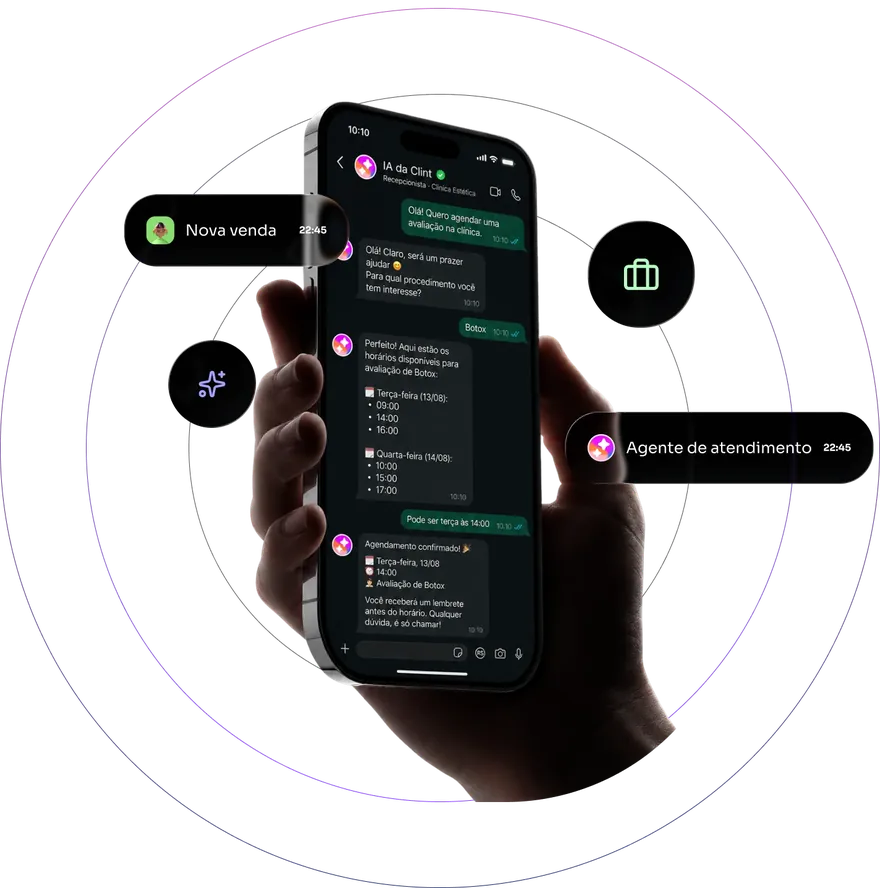
What changes in the operation is concrete. The whole team serves on the same number, each conversation with an owner and the history visible to the manager. An AI agent replies to the lead as soon as they arrive, asks the qualification questions and books the meeting. Campaigns go out with templates approved by Meta, a delivery report and controlled pacing. Automations start to follow the funnel: a message when the deal changes stage, a reminder before the appointment, a follow-up for the stalled lead.
And there is a cost advantage that only exists for those on the API: the free window for conversations coming from Click to WhatsApp ads, which since September 2026 can reach 7 days.
How much does it cost to use the official WhatsApp API?
There are two separate bills. The first is the provider's, the subscription to the platform you use to serve customers. The second is Meta's, charged per message sent by the business, according to the category. A message sent by the customer is never charged.
In Brazil, according to the official table in reais, a marketing template costs about R$ 0.32, and a utility or authentication one, R$ 0.035. Starting October 1, 2026, free-form replies within the 24-hour window also start to cost R$ 0.035, after a free allowance of 1,000 messages per number each month. The math and examples are in New WhatsApp billing in October 2026.
Can you use the API and keep replying from your phone?
You can. Meta allows coexistence: the same number connected to the WhatsApp Business app and to the official API at the same time. The salesperson keeps replying from the phone whenever they want, and the conversations also start to appear on the platform, with a central history.
This resolves the objection that most holds back migration, which is the fear of losing the number known by customers or abandoning the app all at once.
How do you migrate from the app to the official API?
The path has five steps, and the first is the one that defines the rest the most.
- Choose an official Meta provider. Confirm that it connects through the official API, and not through an unofficial QR code connection, which gives no access to an AI agent or campaigns with approved templates.
- Verify the business in Meta Business Manager. Name, website and document need to match.
- Decide between a new number or coexistence. Coexistence keeps the number and the app history.
- Register the first message templates. Welcome, appointment confirmation and follow-up. Each one goes through Meta's approval.
- Connect WhatsApp to the funnel. Define at which stage each conversation enters and who replies.
If your next question is how to send a campaign without putting the number at risk, the step-by-step is in How to send mass messages on WhatsApp through the official API.
Frequently asked questions
What is the difference between WhatsApp Business and the official API?
WhatsApp Business is a free phone app. The official API connects WhatsApp to other systems, is contracted through a provider and has per-message billing by Meta.
Is the official WhatsApp API paid?
Yes. Meta charges per message sent by the business, according to the category, and the provider charges the platform subscription.
Can you use an AI agent in the WhatsApp Business app?
No. An AI agent that replies and qualifies on its own requires the official API.
Do I need to change my number to use the official API?
Not necessarily. With coexistence, the same number works on the app and on the API at the same time.
When is it worth migrating to the official API?
When more than one person serves customers, when leads arrive after hours or when you need to talk to the entire base safely.
Which type of WhatsApp has the lowest risk of blocking when sending campaigns?
The official API, with templates approved by Meta and sending only to those who authorized receiving messages.